-
by MenuOne
-
Mar 15, 2026
-
5
When customers place their own orders on a tablet, staff movement is minimized, order accuracy improves, and errors are reduced. Faster table turnover also leads to increased revenue and overall operational efficiency.
It started with gas stations. In the past, drivers would sit in their cars while an attendant filled the tank, thank them, and drive away. Today, at most gas stations, drivers pump their own fuel. Customers are no longer just consumers—they are now performing services themselves.
This same shift is happening in restaurants. At McDonald's, for example, clearing trays and disposing of trash after a meal has become the customer’s responsibility rather than the staff’s.
MenuOne follows this trend by installing tablets at each table, allowing customers to place orders directly. The order is instantly sent to the kitchen and recorded in the POS system. This approach reduces labor costs, which can then be reflected in menu pricing, ultimately enhancing the restaurant’s competitiveness.
What are the tablet order key features of MenuOne?
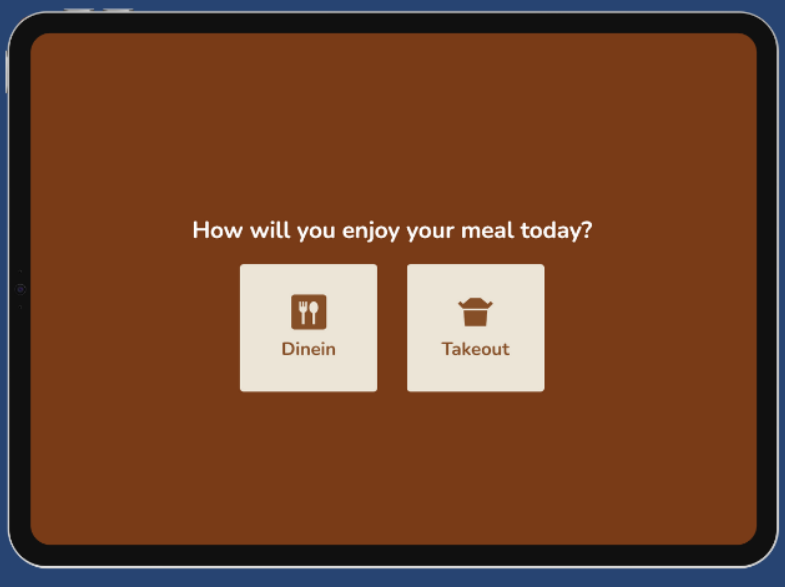
- Customers can browse and select menu items directly from a tablet at their table.
- They can freely choose between dine-in and take-out options, depending on their preference.
- If they enjoy the food during their meal, they can easily order take-out to share the delicious experience with family or friends.
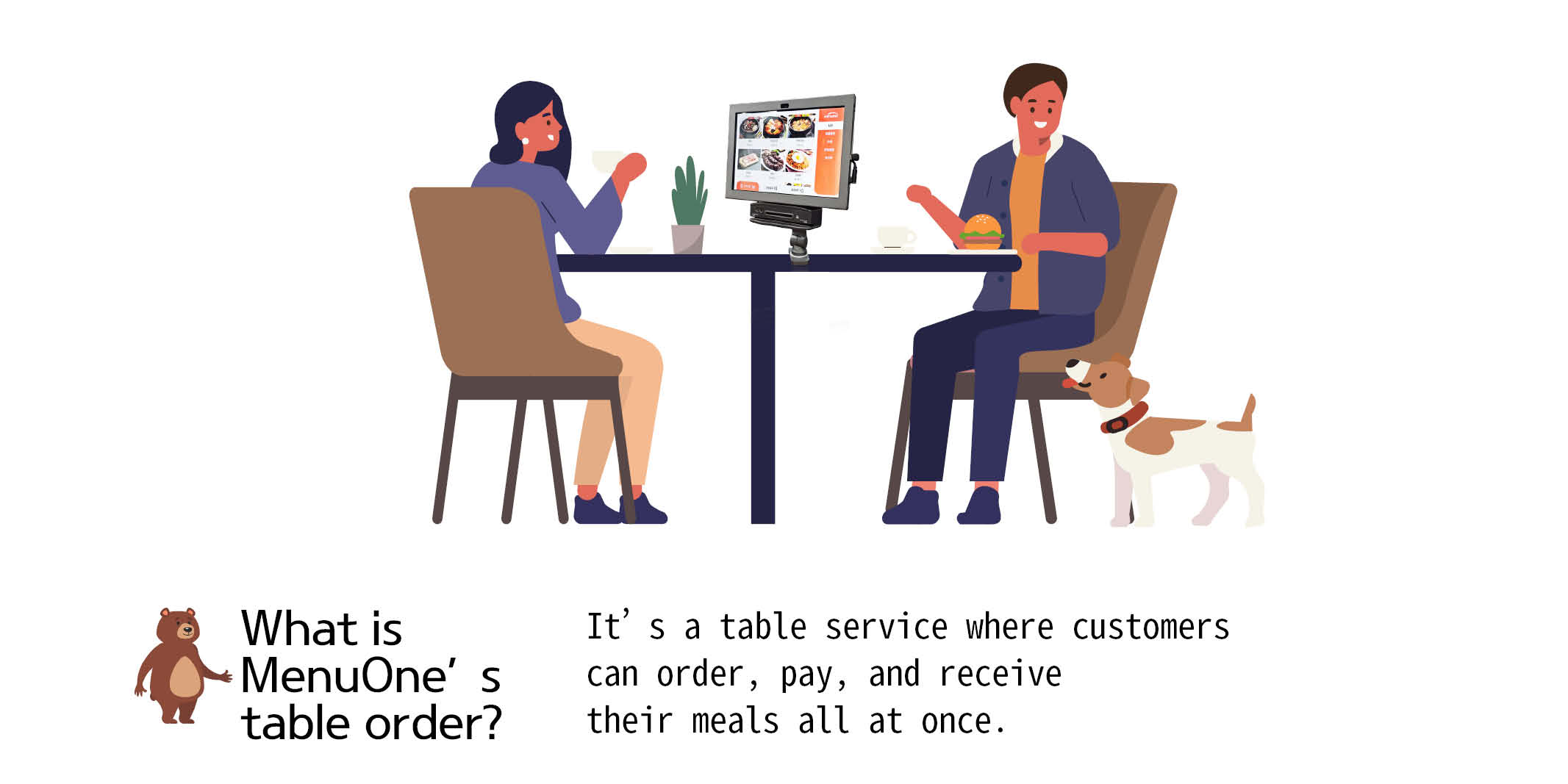
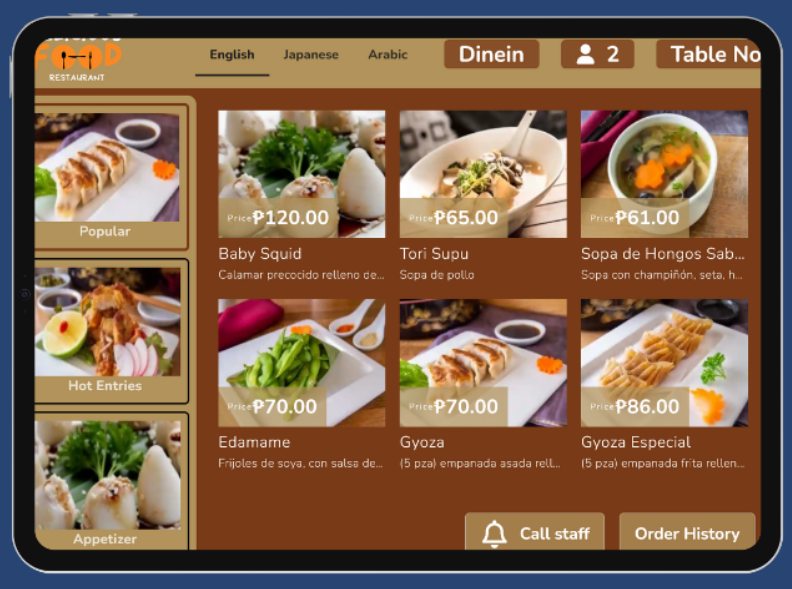
- Customers can easily browse and select their desired dishes directly from a tablet.
No matter where your restaurant is located, the system automatically adapts to the local currency — making it fully functional in countries like the Philippines, Brazil, Germany, and beyond.
- All you need is a tablet. The setup is simple; restaurants can get started instantly with a login.
- Customers do more than just place orders. Their order information can be sent directly to the kitchen’s KDS, and when they need assistance, they can select the reason for their request—helping staff respond more efficiently and reduce unnecessary movement.
- For example, a customer can choose “Please bring an extra fork” in advance and then simply press the staff call button, ensuring faster and more precise service.
- With a tablet ordering system, any menu updates—additions, changes, or deletions—made in the POS are automatically reflected in the online ordering system and tablet order system.
- It also eliminates the cost of menu covers and printing, while removing the hassle and stress of constant menu updates—an added bonus for smoother operations.
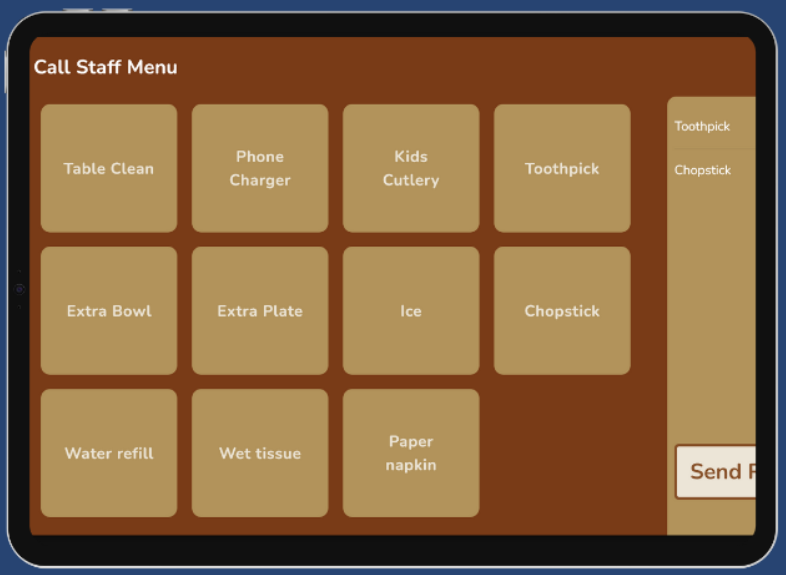
In most restaurants, customers call a staff member, explain their request, and then wait while the staff returns to fulfill it.
However, with a tablet ordering system, customers can select what they need before calling for assistance, allowing staff to respond more efficiently.
This reduces unnecessary movement, saves time, shortens overall dining duration, and ultimately increases table turnover, which leads to higher revenue.
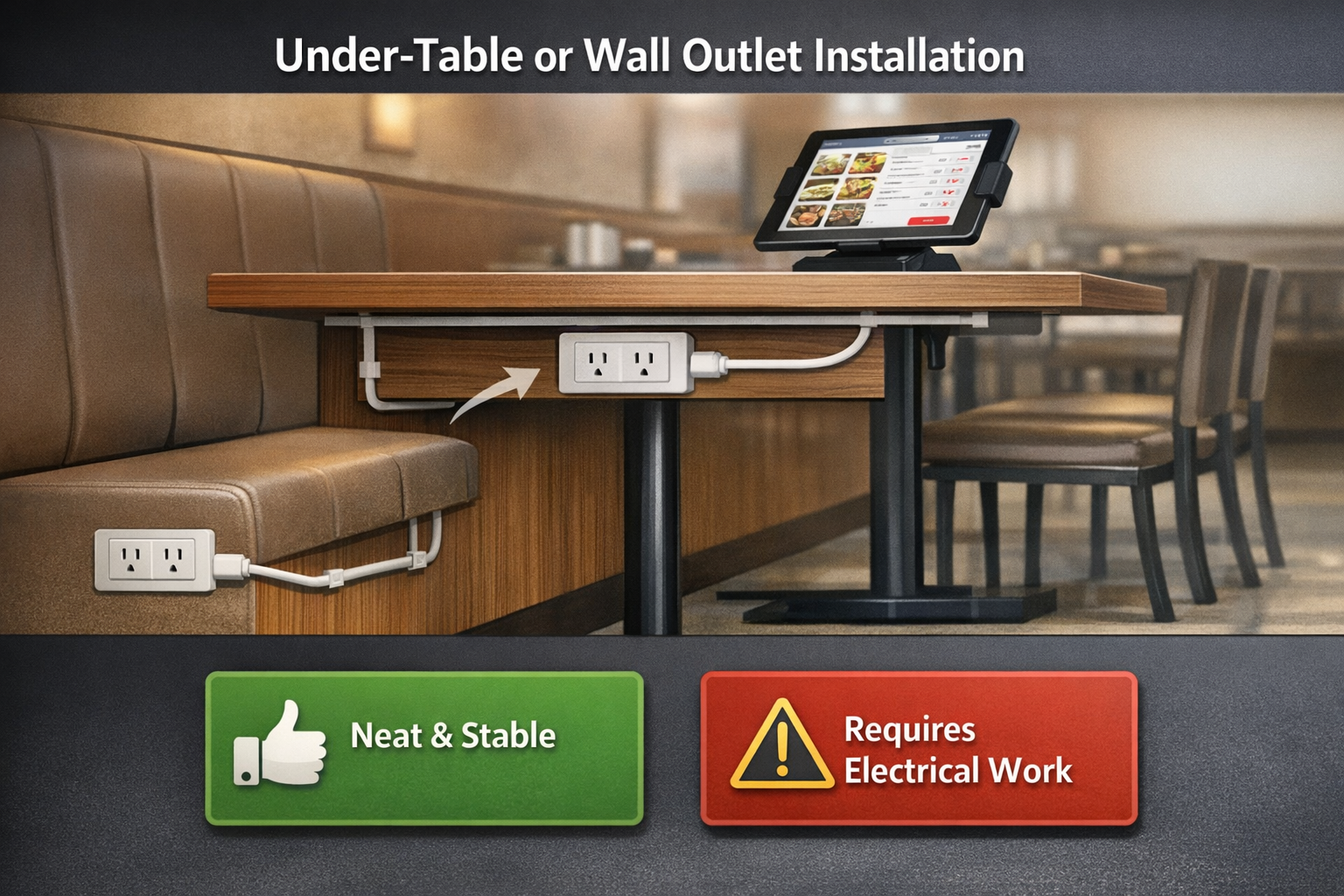
🔌 How to Set Up Power for Tablet Ordering Systems in Restaurants
1) Installing Power Outlets Under Tables or on Walls
This is the most common and reliable method.
- Add power outlets beneath tables, on nearby walls, or under booth seating.
- Use cable molding to hide wires for a clean look.
- Easy to maintain and ensures stable power supply.
Pros: Neat and stable setup
Cons: Requires electrical work
2) Using Portable Power Banks — Temporary or Backup Option
Ideal when electrical installation isn’t feasible.
- High-capacity power banks can run tablets for 8–12 hours.
- Not suitable for permanent use or full-day operations.
Pros: No installation needed, plug-and-play
Cons: Daily charging required, inefficient for long-term us
Ask More Detal